Facebook Ads Terminologies: A Complete In-Depth Guide
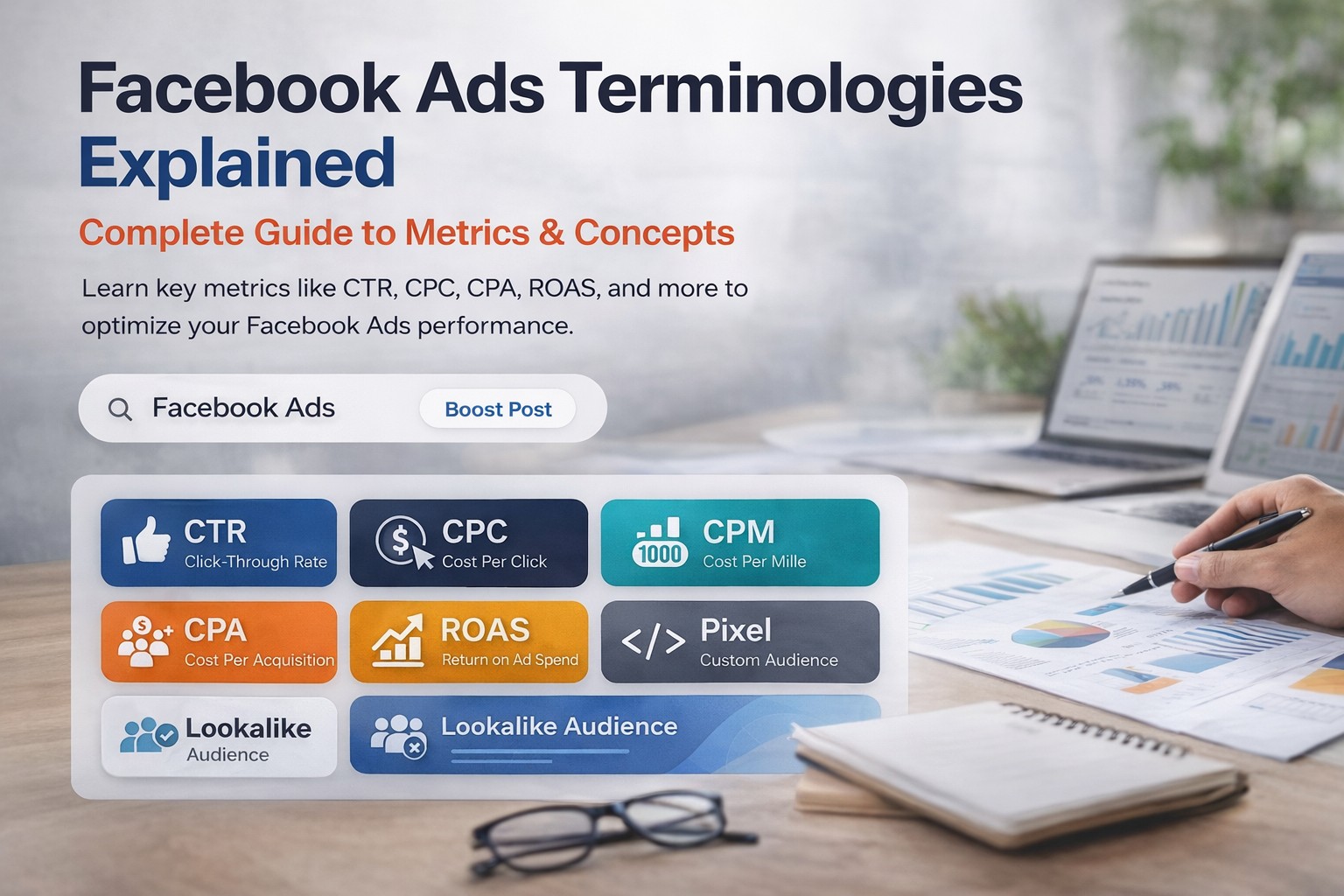
Facebook Ads Terminologies: A Complete In-Depth Guide
Running successful campaigns on Facebook — now part of Meta Platforms — requires more than knowing how to set up an ad. The platform has its own ecosystem of metrics, structures, bidding systems, and audience mechanics that determine whether your budget produces results or quietly evaporates. For marketers who are new to the platform, the terminology alone can feel like learning a second language. For experienced advertisers, a clear reference that goes beyond surface-level definitions is still genuinely useful.
This guide covers every core Facebook Ads term in depth — what it means, why it matters, how it is calculated, and how it fits into the bigger picture of running campaigns that actually work. Whether you are managing your first campaign or auditing an account that has been running for years, understanding these concepts is what separates data-driven decision-making from guesswork. For businesses looking for hands-on support, Teckgeekz's Facebook Ads management service is built on exactly this foundation.
Understanding the Facebook Ads Structure
1. Campaign
The campaign is the top level and the place where you define your objective — the overarching goal that tells Facebook what kind of result to optimise for. This is not just an administrative label. The campaign objective has a direct and significant impact on how Facebook delivers your ads, which users it prioritises, and what events it counts as success.
Meta currently organises objectives into six categories: Awareness, Traffic, Engagement, Leads, App Promotion, and Sales. If you select Traffic, Facebook delivers your ads to users it predicts are most likely to click. If you select Sales, it prioritises users most likely to complete a purchase. Choosing the wrong objective — running a Sales campaign when you actually need leads — means the algorithm is optimising for the wrong outcome and your budget is working against you.
2. Ad Set
The ad set is where the operational decisions live: who sees your ad, how much you spend, when the ads run, and where they appear. Core elements configured here include audience targeting (location, age, gender, interests, behaviours, and custom audiences), daily or lifetime budget, placements, and bidding strategy. A single campaign can contain multiple ad sets, each targeting a different audience — which is the standard approach for structured testing.
3. Ad
The ad is the creative level — the actual content users see. Every ad lives inside an ad set, and a single ad set can contain multiple ads. The ad level is where you configure the image or video, headline, primary text, call-to-action button, and destination URL. When a campaign underperforms, the cause is almost always traceable to one of the three levels: wrong objective, wrong audience, or weak creative.
Core Facebook Ads Terminologies
1. Impressions
Impressions measure the total number of times your ad is displayed on any screen. If the same person sees your ad five times in a week, that counts as five impressions. This distinction matters because impressions do not tell you how many people saw your ad — they tell you how many times it was shown. A campaign with 100,000 impressions could be reaching 100,000 different people once each, or 10,000 people ten times each. Impressions are most relevant for awareness campaigns and serve as the denominator in CPM, CTR, and frequency calculations.
2. Reach
Reach is the number of unique users who saw your ad at least once. Unlike impressions, each person is counted only once regardless of how many times they were served the ad.
Metric | What It Counts |
|---|---|
Impressions | Total ad displays, including repeats to the same user |
Reach | Unique users who saw the ad at least once |
Frequency | Average impressions per unique user (Impressions ÷ Reach) |
A high impression count with low reach indicates your ads are being shown repeatedly to a small audience — which can be intentional for retargeting, or a sign that your audience size is too narrow for the budget you are spending.
3. Frequency
Frequency is the average number of times each unique user has seen your ad, calculated as Impressions ÷ Reach. It is a double-edged metric: in awareness campaigns, some repetition is necessary for brand recall. In conversion campaigns, frequency above a certain threshold begins producing diminishing returns — declining CTR, rising CPC, and the phenomenon known as ad fatigue. For most Meta campaign types, a frequency between 1.5 and 3 over a 7-day window is considered healthy. When frequency climbs above 5–7 without a corresponding improvement in conversion rate, it is usually a signal to refresh your creative or expand your audience.
4. Click-Through Rate (CTR)
CTR measures the percentage of users who clicked your ad after seeing it — one of the most commonly referenced metrics because it reflects how compelling and relevant your ad is to the audience seeing it.
CTR = (Clicks ÷ Impressions) × 100
A high CTR indicates your creative, copy, and targeting are well-aligned. A low CTR is usually a symptom of one of three problems: the creative is not stopping the scroll, the copy is not communicating a clear value proposition, or the ad is being shown to the wrong audience. Note that Facebook reports two versions: CTR (All) includes all clicks on any part of the ad, while CTR (Link) counts only link clicks — the latter is the more meaningful metric for traffic and conversion campaigns.
5. Cost Per Click (CPC)
CPC is the average amount you pay each time someone clicks your ad.
CPC = Total Spend ÷ Total Clicks
CPC is influenced by bid strategy, audience competitiveness, ad quality, and seasonality. A low CPC is not inherently good if the clicks are not converting. The most useful way to evaluate CPC is in context with conversion rate: a $3 CPC that converts at 5% produces a $60 CPA, while a $1 CPC that converts at 0.5% produces a $200 CPA. Cheaper clicks are only better when they are also qualified clicks.
6. Cost Per Mille (CPM)
CPM is the cost of 1,000 impressions — the standard pricing metric for awareness campaigns where the goal is exposure rather than clicks.
CPM = (Total Spend ÷ Impressions) × 1,000
CPM fluctuates based on audience competition, placement type, ad quality, and seasonality. A steadily increasing CPM on a static audience signals either rising market competition or audience saturation — a cue to expand the audience or refresh the creative.
7. Cost Per Acquisition (CPA)
CPA is the average cost of achieving one conversion — a purchase, lead submission, sign-up, or any other defined action. It is arguably the most commercially important metric for performance campaigns.
CPA = Total Spend ÷ Total Conversions
A target CPA is derived from business economics: if a new customer is worth $200 in lifetime value and your margin requirement is 40%, your sustainable CPA ceiling is $80. Campaigns consistently exceeding that ceiling are running at a loss regardless of how good the other metrics look. CPA is also the basis for Meta's Target CPA bidding strategy, which instructs the algorithm to optimise delivery toward users it predicts will convert at or below your specified target.
8. Conversion
A conversion is any user action you have defined as a meaningful business outcome and tracked through the Meta Pixel or Conversions API — purchases, lead forms, sign-ups, app installs, downloads, and more. What counts as a conversion is entirely configurable, which is why comparing CPA figures across campaigns without knowing the conversion definition is almost always misleading. The quality of your conversion tracking directly determines the quality of campaign optimization — when the Pixel is correctly implemented, the algorithm has reliable data to learn from.
9. Conversion Rate
Conversion Rate measures the percentage of ad clicks that resulted in a conversion — the metric that connects traffic quality to landing page or offer quality.
Conversion Rate = (Conversions ÷ Clicks) × 100
A low conversion rate despite strong CTR typically indicates the landing page does not match the ad's promise, the offer is not compelling, or there is a technical friction point. Improving conversion rate is often more cost-effective than reducing CPC. Improving conversion rate from 2% to 4% — without touching CPC — halves your CPA entirely.
10. Return on Ad Spend (ROAS)
ROAS measures the revenue generated for every dollar spent on advertising.
ROAS = Revenue ÷ Ad Spend
A ROAS of 4x means $4 in revenue for every $1 spent. Whether a specific ROAS is profitable depends entirely on your business margins — calculating your break-even ROAS (the point where ad spend equals gross profit) is a prerequisite for setting meaningful targets. ROAS is also the basis for Meta's Target ROAS bidding strategy, which works best once a campaign has accumulated at least 50 purchase events over a 7-day period.
11. Meta Pixel
The Meta Pixel is a JavaScript snippet installed in your website's header that fires tracking events as users take actions on your site. It serves three critical functions:
Conversion tracking — records when users complete defined actions after clicking your ad
Retargeting — builds audiences of users who visited specific pages or reached specific funnel points
Lookalike generation — provides source data for Meta to identify new users who share characteristics with your existing converters
Without a correctly implemented Pixel, you cannot do meaningful retargeting, cannot feed quality conversion signals to the algorithm, and your optimization is fundamentally limited. Meta's Conversions API (CAPI) serves as a server-side complement to the Pixel, designed to improve tracking accuracy in the face of iOS restrictions and ad blockers.
12. Custom Audience
A Custom Audience is a targeting audience built from your own first-party data rather than Meta's interest database. Sources include website visitors (tracked via Pixel), customer email lists from your CRM, app activity, video viewers, lead form engagers, and Instagram or Facebook page engagers. Custom Audiences consistently outperform interest-based targeting because they target users who already have a level of familiarity with your brand — and they form the foundation of retargeting strategies and the source data for Lookalike Audiences.
13. Lookalike Audience
A Lookalike Audience is created by Meta's algorithm by analyzing the characteristics of a source Custom Audience and finding new users who share similar behavioral and demographic patterns. Lookalike size is expressed as a percentage of a target country's population (1%–10%). A 1% Lookalike is the closest match — smaller but higher in quality. A 10% Lookalike is broader and less precise but significantly larger in reach. Lookalikes work best when the source audience is at least 1,000 users and represents a meaningful business signal — purchase converters rather than all website visitors.
14. Ad Placement
Ad Placement refers to the specific location where your ad appears across Meta's network.
Placement | Best Use Case |
|---|---|
Facebook Feed | High visibility; works for most campaign types |
Instagram Feed | Strong visual engagement; e-commerce and lifestyle |
Instagram / Facebook Stories | Full-screen immersive; time-sensitive offers |
Instagram / Facebook Reels | Growing format; strong for reach campaigns |
Messenger | Direct, personal; effective for lead generation |
Audience Network | Extends reach beyond Meta; best for awareness at scale |
Meta's Advantage+ Placements (formerly Automatic Placements) distributes your budget dynamically across all eligible placements based on real-time performance signals. For most advertisers, it outperforms manual placement selection.
15. Bidding Strategy
Your bidding strategy tells Meta how to spend your budget in the ad auction. The main options are:
Highest Volume (Lowest Cost): Maximizes result volume at the lowest possible cost. The default and best choice during the learning phase.
Cost Cap: Sets a maximum average CPA target. Provides cost predictability but requires sufficient conversion volume to work effectively.
Bid Cap: Sets a hard maximum auction bid. Most direct cost control, but can limit delivery if set too low relative to competition.
Minimum ROAS: For e-commerce with revenue tracking in place — instructs Meta to only pursue conversions where predicted ROAS meets your threshold.
New campaigns with limited data almost always benefit from Highest Volume bidding until the algorithm has accumulated enough learning signal.
16. Engagement
Engagement covers any user interaction beyond simply viewing your ad: likes, comments, shares, saves, link clicks, video plays, and reactions. High engagement improves ad distribution because Meta interprets strong engagement as an indicator of content quality and relevance — ads with high engagement achieve better placements, lower CPMs, and broader organic amplification through shares.
17. Ad Relevance Diagnostics (Formerly Relevance Score)
The original single Relevance Score (1–10) was replaced by three more granular diagnostics:
Diagnostic | What It Measures | How to Improve |
|---|---|---|
Quality Ranking | Perceived quality vs. competing ads | Improve creative quality; reduce clickbait |
Engagement Rate Ranking | Expected engagement vs. competing ads | More compelling visuals and copy |
Conversion Rate Ranking | Expected conversion rate vs. competing ads | Better landing page; tighter targeting |
Rankings are expressed as tiers: Above Average, Average, Below Average (bottom 35%), and Below Average (bottom 20%). Ads with Below Average rankings cost more per result — the algorithm deprioritizes low-quality ads in the auction.
18. Ad Fatigue
Ad fatigue is the performance decline that occurs when an audience has seen the same creative too many times. Early warning signs: frequency rises above 4–5 over 7 days, CTR declines week-over-week, CPC increases without any bid change, and ROAS deteriorates despite no offer or landing page change.
The solution is creative refresh rather than structural campaign changes — a new image, rewritten headline, or different format resets audience familiarity and can restore performance without increasing spend. Running 3–5 ad variants per ad set and allowing Meta to rotate them is the most practical prevention strategy.
19. Landing Page Views
Landing Page Views count users who clicked your ad and fully loaded the destination page — different from link clicks, since not every click results in a fully loaded page. A large gap between clicks and landing page views reveals page load speed issues. When 25–30% of clicks are not converting to page loads, a significant portion of ad spend is wasted on traffic that never sees your offer. Page speed optimization directly reduces effective cost per meaningful session.
20. Budget Types
Daily Budget sets a maximum spend per day. Meta can spend up to 25% above or below this on any given day to maximize performance over a 7-day rolling window.
Lifetime Budget sets a total spend cap across the full campaign duration. Meta distributes this dynamically based on predicted performance opportunities — spending more on high-value days and less on lower-performing windows. Lifetime budgets suit time-bounded campaigns; daily budgets suit always-on programs.
Advantage Campaign Budget (formerly CBO) allows Meta to distribute a single campaign-level budget across multiple ad sets dynamically, removing the need for manual budget balancing and typically improving overall campaign efficiency.
21. A/B Testing (Split Testing)
A/B testing runs two or more ad variants simultaneously — with a single variable changed between them — to determine which produces superior results. Meta's built-in split testing tool ensures each variant is shown to a mutually exclusive, equally distributed audience. The most impactful variables to test: creative format, headline and copy, audience targeting, CTA button, and landing page destination. Testing one variable at a time is essential — multiple simultaneous variable changes make it impossible to isolate what produced the performance difference.
22. Attribution Window
The attribution window is the period after a user sees or clicks your ad during which a resulting conversion is credited to that ad.
Attribution Setting | What It Captures |
|---|---|
1-day click | Conversions within 24 hours of clicking |
7-day click | Conversions within 7 days of clicking |
1-day view | Conversions within 24 hours of viewing (not clicking) |
7-day click + 1-day view | Default; captures both click and view-through conversions |
Attribution window selection directly affects how performance appears in Ads Manager. Comparing campaigns with different attribution windows produces misleading conclusions. For most direct response campaigns, 7-day click is the standard setting.
23. Funnel Metrics in Facebook Ads
Funnel Stage | Objective | Primary Metrics | Secondary Metrics |
|---|---|---|---|
Top of Funnel (Awareness) | Reach new audiences | Reach, Impressions, CPM, Frequency | Video views, Cost per ThruPlay |
Middle of Funnel (Consideration) | Drive engagement and interest | CTR, CPC, Engagement Rate, Landing Page Views | Cost per Lead, Video completion rate |
Bottom of Funnel (Conversion) | Generate purchases or leads | CPA, ROAS, Conversion Rate, Revenue | Cost per Add-to-Cart, Checkout initiation rate |
Running a conversion campaign and evaluating it on reach and impressions — or running an awareness campaign and expecting a strong ROAS — reflects a fundamental misalignment between objective and measurement.
How to Use These Terminologies Effectively
Focus on Campaign Objectives
Every metric should be evaluated through the lens of what the campaign is trying to achieve. CPM is the right metric for awareness — it is largely irrelevant for a conversion campaign where CPA and ROAS are the meaningful outcomes.
Monitor the Right KPIs
Rather than tracking every metric available, identify the 3–5 that directly reflect your objective: Awareness → Reach, CPM, Frequency; Traffic → CTR, CPC, Landing Page Views; Leads → Cost per Lead, Form Completion Rate; Conversions → CPA, ROAS, Conversion Rate.
Optimize Continuously
Facebook Ads is not a set-and-forget channel. The auction environment changes daily, audiences saturate, and creative fatigues over time. A structured weekly review — pausing underperformers, scaling winners, refreshing creative — is what separates accounts that compound in performance from those that plateau.
Use Data for Decision Making
When a campaign underperforms, diagnose systematically: Is reach too low? Is CTR declining? Is conversion rate dropping despite stable traffic? Each metric points to a different problem and a different solution.
Common Mistakes to Avoid
Ignoring funnel stages. A brand awareness campaign that generates low ROAS is not failing — it is doing its job. Applying the wrong measurement framework to the right objective leads to the wrong conclusions every time.
Overlooking creative quality. Targeting and bidding can only go so far. Poor creative underperforms regardless of how strong the campaign infrastructure is. Regular creative testing and refreshing are not optional — they are the engine of sustained campaign performance.
Not using Pixel and Conversions API data. Without proper tracking, the algorithm optimizes in the dark. Every major Meta campaign feature — Advantage+ audiences, Target CPA, Target ROAS — relies on conversion signal quality. Correct Pixel implementation and CAPI setup are among the highest-leverage technical investments available to Facebook advertisers.
Setting and forgetting campaigns. A campaign performing well today is not guaranteed to perform well in two weeks. CPMs rise, audiences saturate, and creative fatigues. Campaigns that are not actively monitored deteriorate — slowly at first, then quickly.
What We Understand About the Basics of Meta Ads Terminologies
Understanding Facebook Ads terminology is not an academic exercise — it is the practical foundation for every optimization decision a campaign manager makes. Each metric in Ads Manager is a diagnostic signal: when you know what it measures, why it matters, and how it connects to the metrics around it, you can read campaign performance accurately rather than reacting to numbers in isolation.
The advertisers who consistently generate strong returns from Facebook Ads are not necessarily those with the largest budgets — they are the ones who understand what their data is telling them and know how to respond. Mastering these concepts transforms advertising from an uncertain spend into a measurable, optimizable, and scalable growth channel.
If you are looking to build or improve your Meta Ads strategy with expert support, Teckgeekz's Facebook Ads service offers end-to-end campaign management grounded in exactly this level of platform expertise. You can also explore the full range of services or get in touch directly to discuss your specific goals.


Jeffrey Mathew
Founder & CEO • Travel Marketing Specialist
"With over 14 years of dominance in the travel and tech sectors, Jeffrey Mathew has engineered growth for hundreds of OTAs and airlines worldwide. He specializes in the intersection of Performance PPC and Agentic AI, building high-performance digital ecosystems for modern brands."
Start a Conversation
Ready to Elevate Your Business?
Fill out the form below and let's discuss how Teckgeekz can help you reach your goals.
Describe your project to unlock real-time AI service recommendations and matching portfolio cases.
Our Trusted Partners